Bill splitting, minus the drama
Split bills with friends. Keep your money for the actual bill.
Other apps charge you to find out who owes $12 for pizza. SplitBank tracks who paid, who owes what, and the fewest payments to make it even, for roommates, trips, couples and friends. Free. No catch. We looked.
- Unlimited expenses
- Works on any phone
- Pay back with the apps you use
Tahoe trip
Alex, Sam, Jess, Dave
Meanwhile, in the app
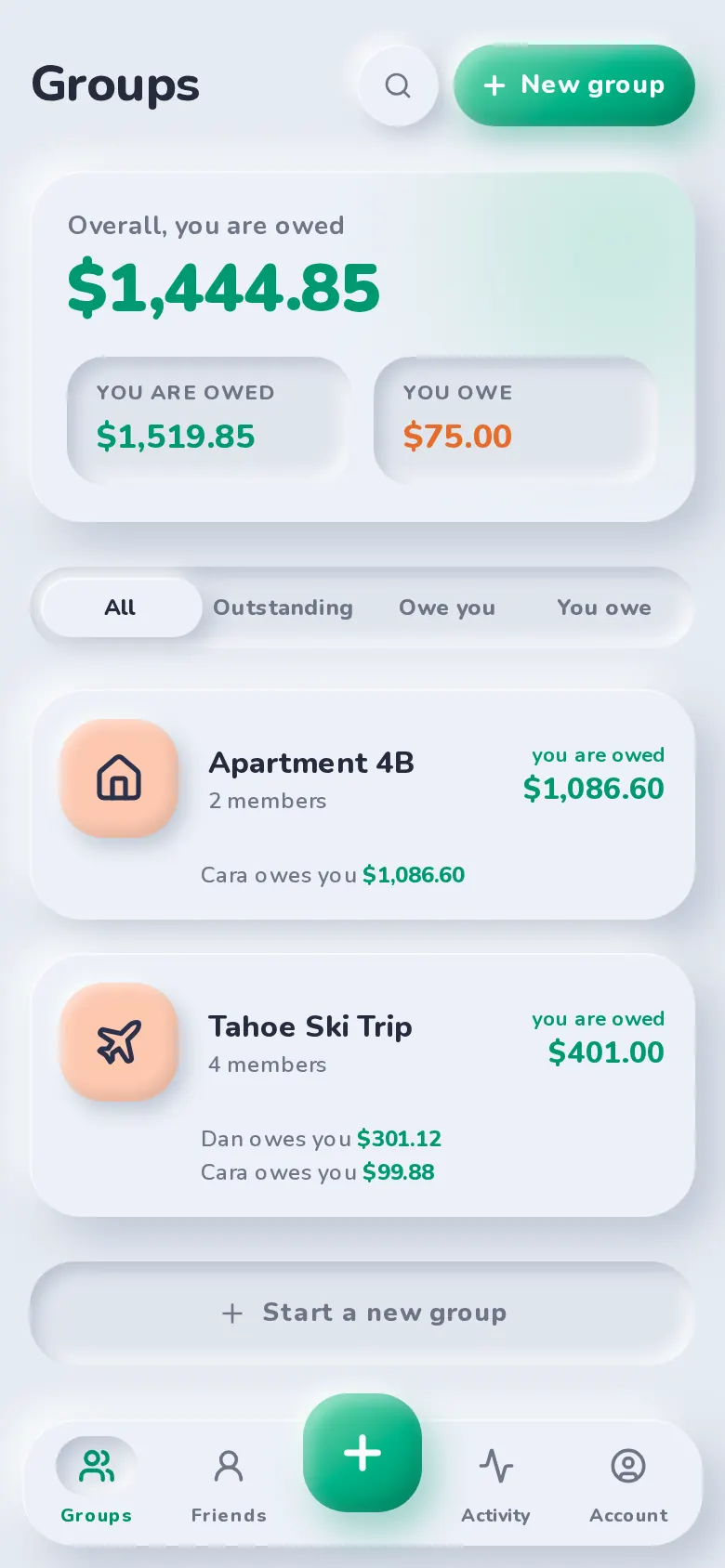
Who paid, who owes, done
Groups, balances and the fewest payments to square up. No spreadsheet, no detective work, no Dave.
Everything you need
All the features, none of the paywall
Everything you need to share costs. No “Upgrade to unlock” buttons, because there’s nothing to unlock.
Flexible splits
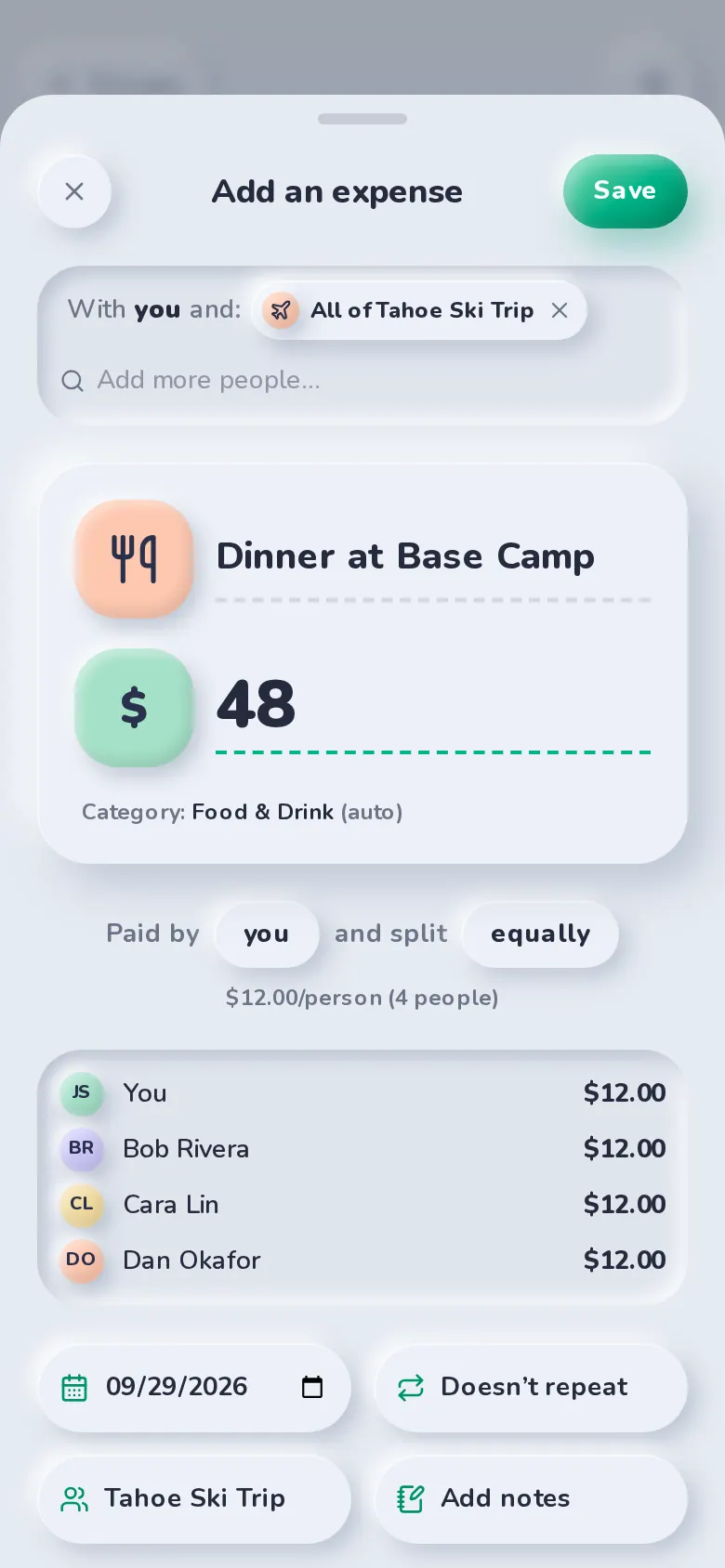
Equal, exact, percentage, shares or adjustments — with live per-person totals.
Learn more about flexible splitsGroups & friends
Trip, home and couple groups, plus friend-to-friend balances.
Learn more about groups & friendsSettle up
Pay with the apps you already use, or record cash.
Learn more about settle upSimplify debts
Combine debts so the group settles with the fewest payments.
Learn more about simplify debtsRecurring bills
Weekly, fortnightly, monthly or yearly — added automatically.
Learn more about recurring billsInsights & export
Charts by category and month, totals, activity and CSV export.
Learn more about insights & exportReceipt scanning
Photo in, itemized split out, with tax and tip shared fairly.
Learn more about receipt scanningStatement import
Upload a statement, then split transactions in one tap.
Learn more about statement import
How it works
Three steps to even
- 01
Make a group or add friends
Invite people with a link or by email. Groups for trips, homes and couples — or split one-off costs with a friend.
- 02
Add what you spend
Enter the amount, pick who paid, and split it equally or any other way. Balances update instantly.
- 03
Settle up
See exactly who pays whom, then pay with Venmo, Cash App, PayPal or Zelle — or record cash.
Settle up
Pay back with the apps you already use
SplitBank opens Venmo, Cash App or PayPal with the amount filled in, shows Zelle details to copy, or records cash.
- Venmo
- Cash App
- PayPal
- Zelle
Built for real life
However you share, it adds up
Make it yours
Six looks, one app
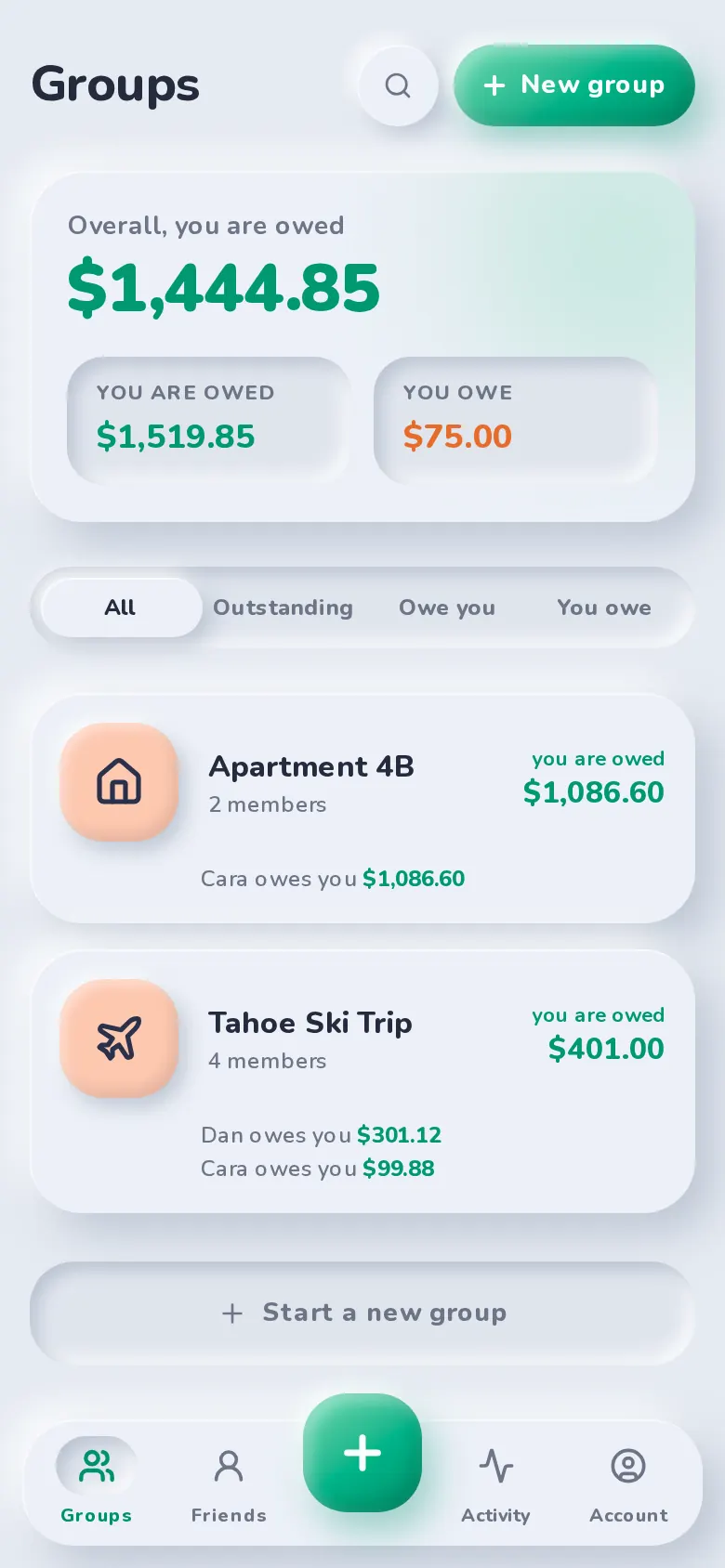
Switch between Claymorphism, Neo Brutalism, Cyberpunk, Scrapbook, Liquid Glass and Bento Grid — each with its own motion, in light or dark.
Soft, moulded, tactile
- Surfaces share the page colour and are lifted by a dark + a light shadow (one light source)
- Inputs use inner shadows so they look pressed into the surface
- Accent “clay” is puffy: gradient fill, inner highlight and shade, coloured drop shadow
Motion: Springy and soft — elements ease in with a slight overshoot, buttons squish when pressed.
Free. Like, actually free.
No Pro. No Plus. No Premium Gold Elite. Add as many expenses as you like, as often as you like. We checked, and there’s no daily limit on friendship either.
- Unlimited expenses, groups and friends
- Charts, totals and CSV export included
- Simplify debts, recurring bills and comments
Who’s behind this
Tiny team. Big ears.
No boardroom, no investors asking about monetization, no “we’ve passed your feedback to the relevant team.” Just a few people who got tired of paying to do subtraction.
Missing a feature? Tell us.
Your request doesn’t vanish into a support queue. It lands in the inbox of the person who writes the code. If it makes sense, we’ll probably build it.
FAQ
Questions, answered
Yes, really. No subscription, no premium tier, no “Pro”. Unlimited expenses, groups, charts, CSV export and settle up are all included. We looked for a catch. There isn’t one.
No. You add expenses yourself in a few taps — there’s nothing to link and no bank details to share.
From Settle up they can open Venmo, Cash App or PayPal with the amount already filled in, copy your Zelle details, or record a cash payment.
SplitBank runs in your browser on any phone or computer. On your phone you can add it to your home screen and it opens like an app.
No. Create your account with a passkey — Face ID, Touch ID, Windows Hello or your phone’s screen lock. A recovery code backs it up, and adding an email is optional.
Yes. Choose “Try without an account” to start with just your name. You’ll get a recovery code to keep, and can add a passkey any time to sign in on your other devices.
Want to go deeper? Read our guides to splitting costs fairly.
Start splitting in under a minute
Free to use, with no subscription or credit card. Invite your group and add your first expense today.